


How Can Businesses Prevent Barcode Printer Downtime and Production Delays?
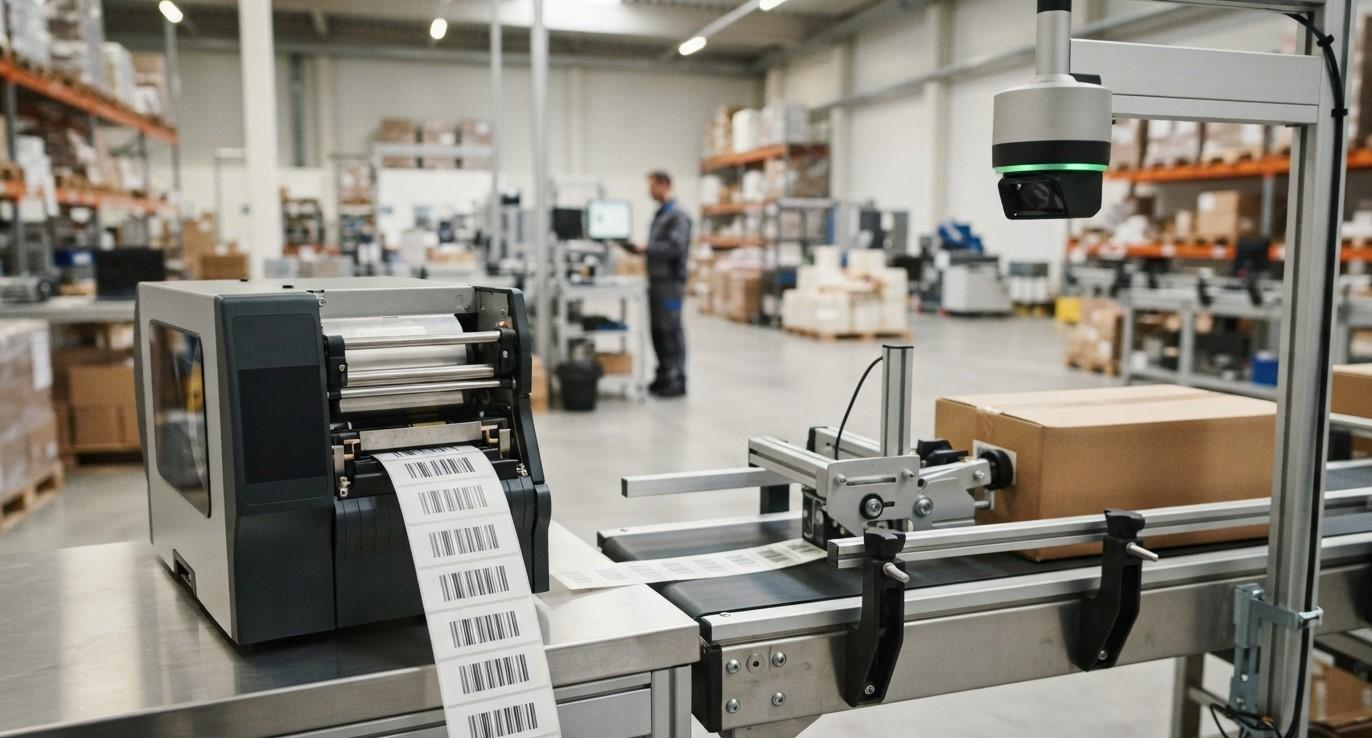
Barcode printers play an important role in warehouses, manufacturing facilities, retail businesses, logistics operations, and distribution centers. They are responsible for producing labels that help businesses identify products, track inventory, manage shipments, and maintain accurate records.
When a barcode printer stops working, the impact can extend beyond the printing station. Employees may be unable to label products, shipping operations can slow down, warehouse processes may be interrupted, and production schedules can face unnecessary delays.
The good news is that many barcode printer problems can be prevented through proper maintenance, suitable supplies, employee training, and effective planning. Businesses that take a proactive approach can reduce unexpected downtime and keep their labeling operations running smoothly.
Pointus Solutions provides barcode printing solutions and Printing Products that can help businesses build reliable labeling workflows. From barcode printers and labels to ribbons and related equipment, selecting the right products and maintaining them properly can make a significant difference.
This guide explains practical ways businesses can prevent barcode printer downtime and reduce production delays.
Table of Contents
- Why Is Barcode Printer Downtime a Problem?
- What Causes Barcode Printer Downtime?
- Perform Regular Printer Maintenance
- Clean the Printhead Regularly
- Use the Correct Labels and Ribbons
- Check Printhead Condition
- Avoid Incorrect Printer Settings
- Monitor Printer Supplies
- Keep Spare Supplies Available
- Train Employees Properly
- Maintain a Suitable Printing Environment
- Use Reliable Barcode Printing Software
- Monitor Print Quality
- Create a Preventive Maintenance Schedule
- Keep Backup Printing Options Available
- Replace Aging Equipment When Necessary
- FAQs
- Conclusion and CTA
Why Is Barcode Printer Downtime a Problem?
Barcode printing is often connected to multiple business processes.
For example, a warehouse may need printed labels for:
- Incoming products
- Inventory identification
- Storage locations
- Picking
- Packing
- Shipping
- Returns
- Asset tracking
If the printer stops working, employees may have to wait for repairs or find another way to produce labels.
This can create:
- Production delays
- Shipping delays
- Increased labor costs
- Manual data entry
- Inventory processing problems
- Reduced employee productivity
- Missed dispatch schedules
In high-volume environments, even a short period of printer downtime can affect many downstream processes.
What Causes Barcode Printer Downtime?
Understanding common causes can help businesses prevent problems before they become serious.
Some frequent causes include:
- Dirty printheads
- Worn printheads
- Incorrect printer settings
- Poor-quality labels
- Incorrect ribbons
- Label jams
- Connectivity problems
- Software errors
- Overheating
- Improper printer installation
- Lack of preventive maintenance
- Empty printing supplies
Many of these issues can be addressed through routine checks and proper operating procedures.
Perform Regular Printer Maintenance
Regular maintenance is one of the most effective ways to prevent unexpected downtime.
Businesses should establish a maintenance routine based on printer usage.
Routine maintenance may include:
- Cleaning the printer
- Cleaning the printhead
- Checking rollers
- Inspecting media paths
- Removing label residue
- Checking cables and connections
- Inspecting print quality
- Replacing worn components
High-volume printers may require more frequent maintenance than printers used occasionally.
Following the manufacturer's maintenance recommendations can also help extend equipment life.
Clean the Printhead Regularly
The printhead is one of the most important components in a thermal barcode printer.
Dust, adhesive residue, and other contaminants can accumulate on the printhead and affect print quality.
A dirty printhead may produce:
- Faded areas
- Missing lines
- Uneven printing
- Poor barcode readability
- Inconsistent labels
Regular cleaning can help maintain print quality and reduce the risk of unexpected printing problems.
Businesses should use appropriate cleaning materials and follow the printer manufacturer's recommended cleaning procedure.
Use the Correct Labels and Ribbons
Using incompatible or poor-quality printing supplies can cause operational problems.
For thermal transfer printers, the ribbon should be compatible with the printer and label material.
Similarly, labels should be suitable for the printer and the intended application.
Incorrect supplies may contribute to:
- Poor print quality
- Label jams
- Adhesive buildup
- Ribbon wrinkles
- Printhead wear
- Scanning problems
Choosing compatible Printing Products can help reduce these risks.
Check Printhead Condition
Even with regular cleaning, a printhead eventually wears out.
A worn printhead may cause repeated printing defects that do not disappear after cleaning.
Signs of a damaged or worn printhead can include:
- Repeated white lines
- Missing sections of barcodes
- Uneven print quality
- Consistent defects in the same location
- Increasing scanning failures
Replacing the printhead when necessary can be more efficient than repeatedly troubleshooting the same problem.
Avoid Incorrect Printer Settings
Incorrect settings can also cause printing problems.
Important settings may include:
- Print speed
- Darkness
- Label dimensions
- Media type
- Print orientation
- Sensor configuration
- Print method
For example, printing too quickly or using unsuitable darkness settings can affect barcode quality.
Businesses should create standard printer configurations for common label types to reduce setup errors.
Monitor Printer Supplies
Running out of labels or ribbons unexpectedly can stop a printing operation.
Businesses should monitor inventory levels for commonly used supplies.
Important supplies may include:
- Barcode labels
- Thermal transfer ribbons
- Cleaning materials
- Replacement printheads
- Other printer components
For high-volume environments, minimum stock levels can be established so supplies are reordered before they run out.
This simple approach can prevent avoidable interruptions.
Keep Spare Supplies Available
Critical operations should not depend on a single roll of labels or ribbon.
Businesses can maintain a small backup inventory of essential supplies based on their printing volume.
For example, a warehouse may keep:
- Extra rolls of frequently used labels
- Backup ribbons
- Spare cleaning materials
- Replacement printer components
The goal is not to store excessive inventory but to ensure that routine supply shortages do not stop important operations.
Train Employees Properly
Employee training is another important part of downtime prevention.
Employees who operate barcode printers should understand:
- How to load labels
- How to install ribbons
- How to adjust printer settings
- How to clean the printer
- How to identify common errors
- How to handle label jams
- When to contact technical support
Employees should also know which problems they can safely resolve and which issues require professional assistance.
Proper training reduces the likelihood of accidental equipment damage and unnecessary service calls.
Maintain a Suitable Printing Environment
The environment around a barcode printer can affect its performance.
Excessive dust, heat, moisture, or other environmental factors can contribute to equipment problems.
Businesses should consider:
- Temperature
- Humidity
- Dust levels
- Printer ventilation
- Workspace cleanliness
- Equipment placement
Industrial printers may be designed for demanding environments, but even durable equipment benefits from proper installation and maintenance.
Avoid placing printers where they are exposed to unnecessary dust, spills, direct heat, or physical impacts.
Use Reliable Barcode Printing Software
Printer downtime is not always caused by the physical printer.
Software and connectivity problems can also interrupt printing.
Businesses should ensure that:
- Printer drivers are correctly installed
- Label templates are properly configured
- Software is compatible with the printer
- Network connections are stable
- Label dimensions are correct
- Barcode formats are supported
If the printer is connected to warehouse management or ERP software, integration should also be tested regularly.
Monitor Print Quality
Print quality should be monitored before it becomes a major problem.
Employees can periodically inspect printed labels for:
- Clear barcode lines
- Correct alignment
- Proper darkness
- Missing sections
- Smudging
- Wrinkles
- Consistent positioning
A barcode that looks acceptable to the human eye may still fail to scan.
Regular scanning tests can help identify problems earlier.
Create a Preventive Maintenance Schedule
Instead of waiting until a printer breaks, businesses should establish preventive maintenance schedules.
A basic schedule could include:
Daily Checks
- Inspect print quality
- Check for obvious errors
- Verify labels and ribbons
- Keep the printing area clean
Weekly Checks
- Clean appropriate printer components
- Inspect rollers and media paths
- Check cables and connections
Monthly Checks
- Review printer performance
- Inspect wear components
- Check software and configuration
- Review recurring printing problems
The exact schedule should depend on printer type, usage volume, and manufacturer recommendations.
Keep Backup Printing Options Available
Businesses that depend heavily on barcode printing may benefit from having backup options.
For example, a high-volume warehouse may use multiple printers so that operations can continue if one unit requires maintenance.
Backup equipment can be especially valuable for:
- Distribution centers
- Manufacturing facilities
- Large warehouses
- E-commerce fulfillment operations
- High-volume shipping departments
The backup printer does not necessarily need to handle the entire operation permanently. Its purpose can be to provide continuity while the primary printer is being repaired.
Replace Aging Equipment When Necessary
Preventive maintenance can extend printer life, but equipment eventually becomes less reliable.
If a printer repeatedly experiences:
- Mechanical failures
- Poor print quality
- Frequent jams
- Connectivity issues
- Expensive repairs
- Increasing maintenance requirements
it may be more cost-effective to replace the equipment.
Businesses should consider the total cost of ownership rather than focusing only on repair costs.
A newer, more reliable printer may improve productivity and reduce recurring downtime.
How Pointus Solutions Can Help
Preventing barcode printer downtime requires the right combination of equipment, supplies, maintenance, and operating procedures.
Pointus Solutions can help businesses identify suitable barcode printing solutions based on their printing volume, environment, label requirements, and operational needs.
Businesses can explore Shop Barcode for barcode printers, labels, ribbons, scanners, and other Printing Products that can support reliable barcode printing operations.
Choosing compatible equipment and supplies from the beginning can help businesses reduce printing problems and maintain a more consistent workflow.
Frequently Asked Questions
1. What is the most common cause of barcode printer downtime?
Common causes include dirty printheads, worn components, incorrect settings, label or ribbon problems, connectivity issues, and insufficient maintenance.
2. How often should a barcode printer be cleaned?
Cleaning frequency depends on printer usage and the manufacturer's recommendations. High-volume printers generally require more frequent cleaning than printers used occasionally.
3. Can poor-quality labels damage a barcode printer?
Incompatible or poor-quality labels can contribute to adhesive buildup, jams, print quality problems, and increased wear. Businesses should use labels compatible with their printer.
4. How can businesses reduce barcode printer maintenance costs?
Preventive maintenance, proper cleaning, employee training, compatible supplies, and timely replacement of worn components can help reduce unexpected repair costs.
5. Should a warehouse keep a backup barcode printer?
For operations that depend heavily on barcode printing, having a backup printer or redundant printing capacity can help maintain operations when the primary printer is unavailable.
6. How do I know when a barcode printer needs a new printhead?
Repeated lines, missing sections, inconsistent printing, or persistent scanning problems may indicate a worn or damaged printhead. Cleaning should be attempted first when appropriate.
7. Can barcode printing software cause printer downtime?
Yes. Incorrect drivers, label templates, connectivity problems, and incompatible software can prevent successful printing even when the physical printer is functioning properly.
Conclusion
Barcode printer downtime can create unnecessary production, warehouse, and shipping delays. However, many printer problems can be prevented through regular maintenance, proper employee training, compatible labels and ribbons, correct printer settings, and effective supply management.
Businesses should also monitor print quality, maintain appropriate backup supplies, and consider backup printing capacity for critical operations. When printers become unreliable or maintenance costs increase significantly, upgrading the equipment may be a better long-term solution.
A reliable barcode printing system is not only about purchasing a printer. It requires the right combination of Printing Products, software, supplies, maintenance procedures, and employee practices.
Pointus Solutions can help businesses explore barcode printing equipment and supplies suited to their operational requirements. Whether you are setting up a new warehouse, improving an existing printing workflow, or replacing unreliable equipment, choosing the right barcode solution can help reduce downtime and keep operations moving.
Call to Action
Want to reduce barcode printer downtime and keep your business operations running smoothly?
Explore Shop Barcode for reliable barcode printers, labels, ribbons, scanners, and other Printing Products.
Contact Pointus Solutions today to discuss your barcode printing requirements and find the right solution for your business.

 English
